Version 0.5.3 · Early Access
Free add-on
- The full add-on, GPL-3.0-or-later, free to download and use
- Install the zip in Blender yourself
- A base pack of ready-made presets built in (smoke, fire and liquid)
- No premium presets download and no support requests
OpenBillow Licence and Scene Packs
- Ready-to-install extension zip, with updates the add-on offers to install for you
- Support requests from inside Blender
- We aim to reply within 2 working days. Every reply is written or checked by a person.
- Scene Pack: Gas / Fire / Liquid (hero looks such as Campfire, Explosion, Fuel Fire and Honey) with their materials, downloaded with your licence key
- Funds development and a Blender Foundation donation
Buying for a studio? Ask about the Studio licence (see the Terms).
The add-on is open source under the GPL. Support is only for people who bought OpenBillow. Part of every sale goes to the Blender Foundation: see Donations. By buying you accept the Licence and Terms of Service.
Website, buying and support: https://openbillow.com/
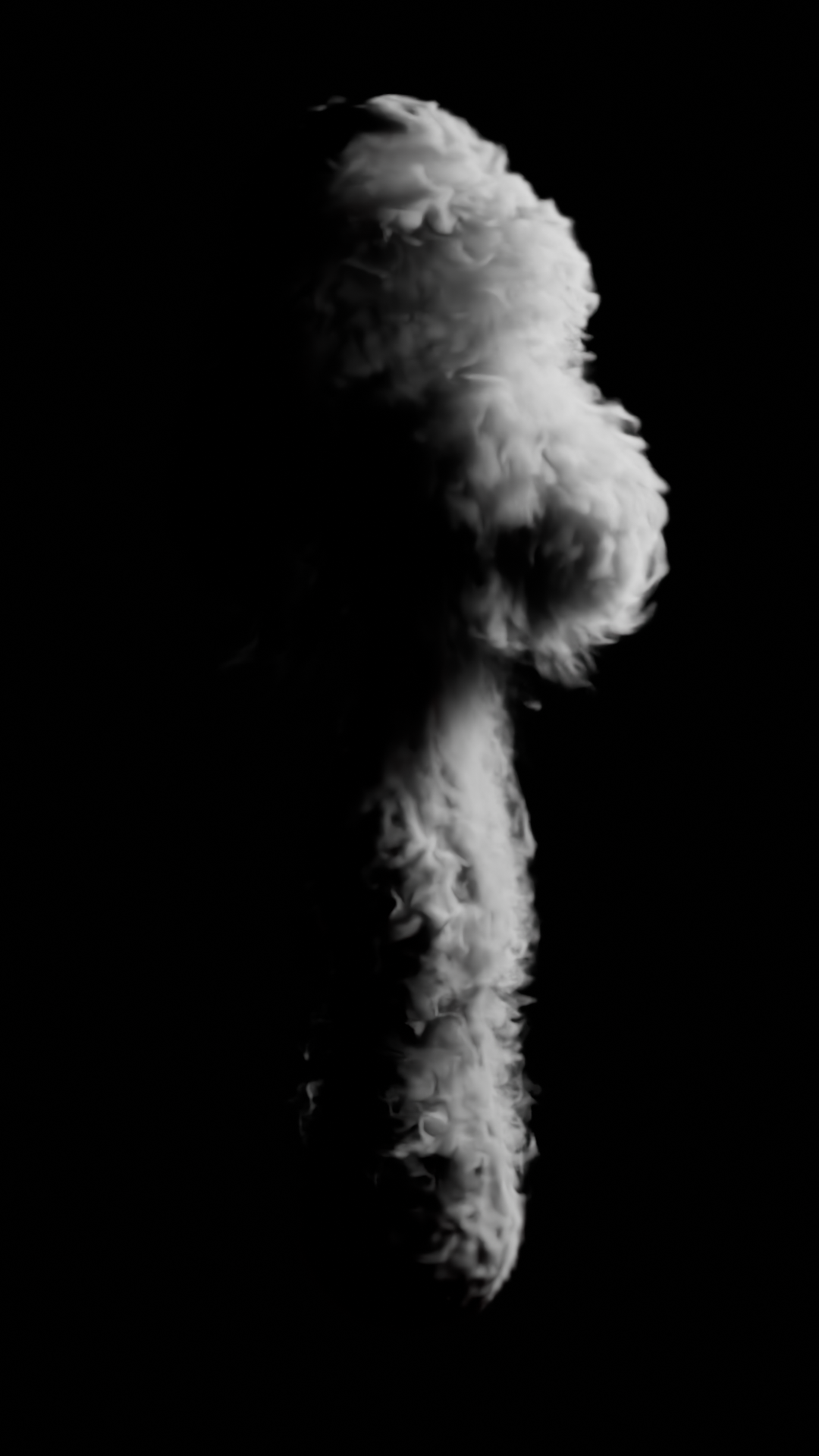
GPU smoke, fire and liquid simulation for Blender. It follows Blender's Mantaflow gas algorithm, runs on NVIDIA GPUs through Warp, and writes OpenVDB sequences that Blender loads as Volume objects.
Status: v0.5.3 Early Access, smoke, fire, noise/upres and liquid (FLIP/APIC) with spray, foam and bubbles. The solver matches Mantaflow's reference scenes to within a few percent, and the Blender add-on (panels, bake, resume, cancel, presets, support, updates) works.
Install
From Blender Extensions (once listed): Edit > Preferences > Get Extensions, search OpenBillow, click Install. Blender then offers updates itself.
From a zip (until then, or offline): download openbillow-<version>.zip from the
GitHub releases, then Edit > Preferences
Get Extensions > the arrow menu (top right) > Install from Disk…. Build it yourself with
tools/build_extension.py.
One small zip (about 70 KB) works on Windows and Linux. macOS is out: Warp needs CUDA.
Then:
1. Enable the add-on and open the Physics tab of a mesh object.
2. First use only: click Install GPU Engine in the OpenBillow panel. It downloads
NVIDIA Warp (about 105 MB) from PyPI into the add-on's folder, and only when you click.
Needs internet. On a machine without internet, run
<blender python> -m pip install --target <extension folder>/deps --no-deps warp-lang==1.18.0
elsewhere and copy the folder over.
An NVIDIA GPU with a recent driver is required (v1 is CUDA only). The Windows install path has been tested on one machine (Blender 5.2, RTX 3090).
What is free, what is paid
The add-on and the solver are free and open source (GPL-3.0-or-later): smoke, fire, liquid, noise/upres, obstacles, quality modes, and a base pack of ready-made presets built into the add-on. No key, no sign-up, no download.
Optional, paid ($10 in early access) at https://openbillow.com/: - the premium preset pack (hero looks such as Campfire, Explosion, Fuel Fire, Honey, with their materials), downloaded with a licence key; - support from inside Blender (Send support request).
Nothing in the add-on is locked: the key only unlocks the premium download and support.
Two builds of the same code. This repository is the full build, the one served from the website: it can install NVIDIA Warp on first use and has the update check, licence activation, support box and premium-preset download. The version on extensions.blender.org (when available) is a trimmed build of the same source: Warp is bundled, and it has none of the network features and only the base preset pack.
Using the add-on
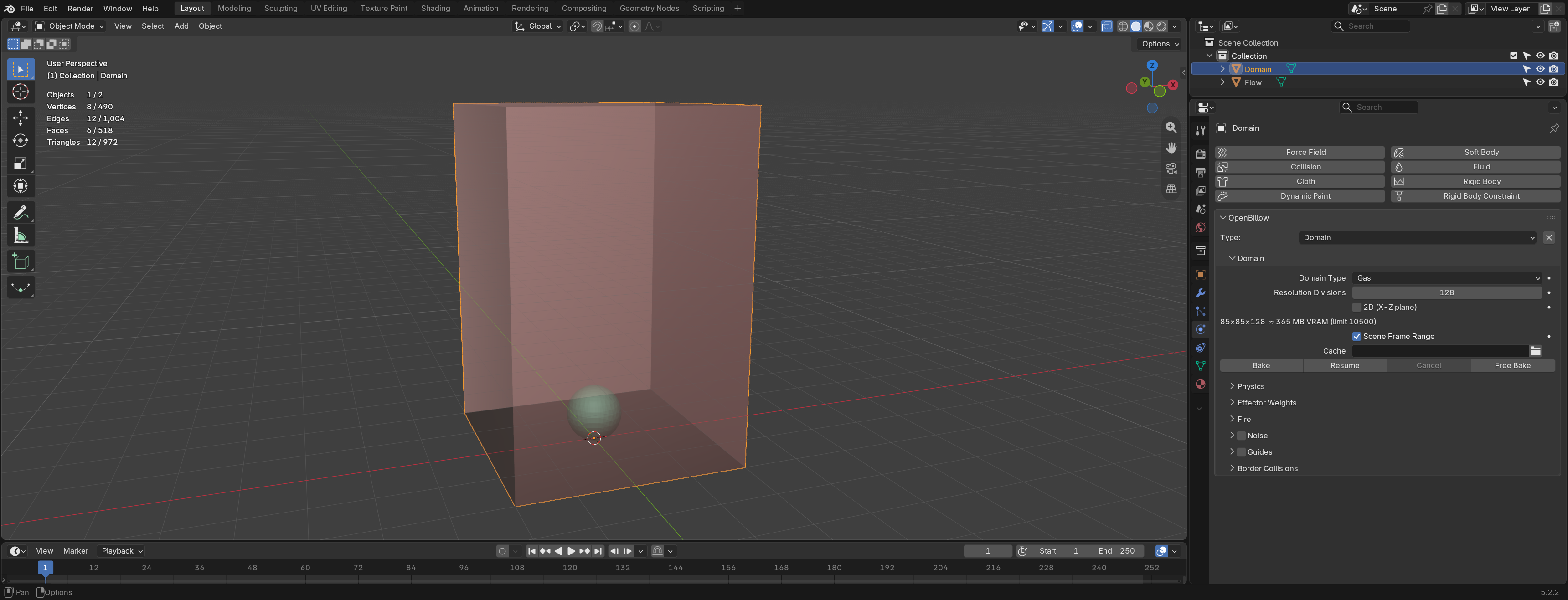
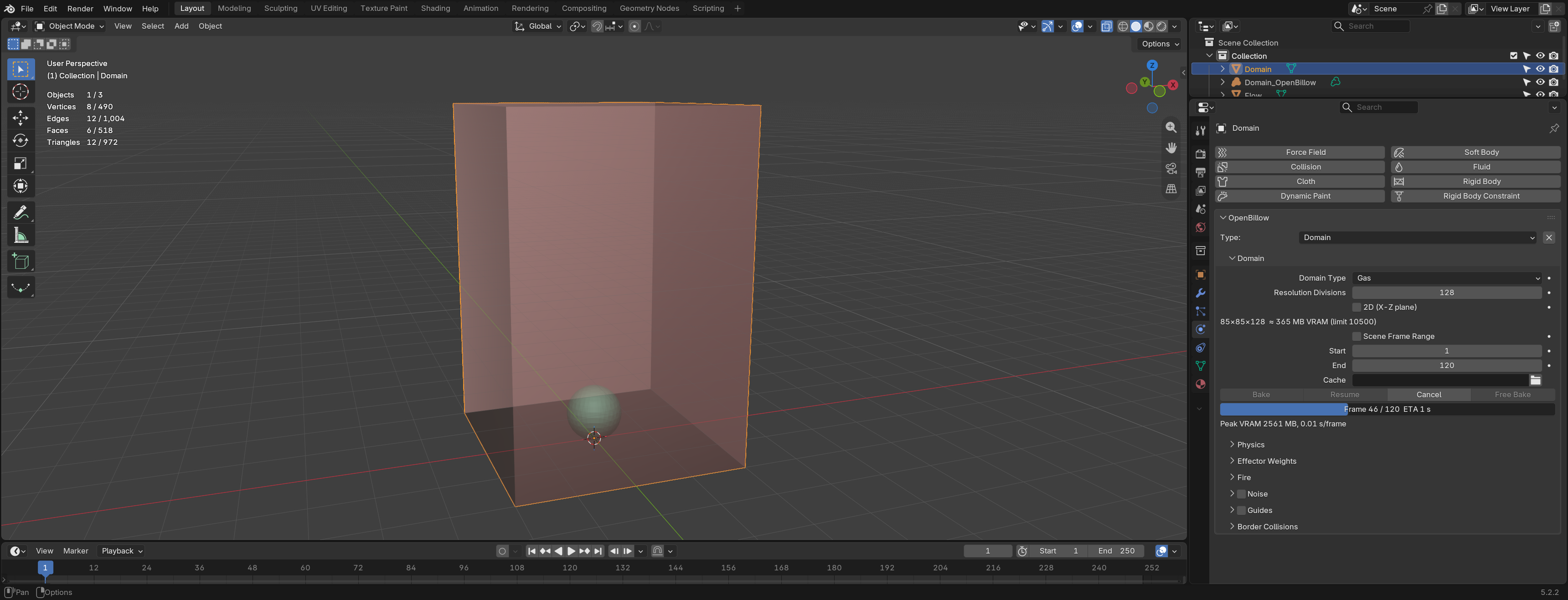
- Domain. Select a mesh (a box), open the Physics tab, and click Domain in the OpenBillow panel. Smoke is simulated inside this box.
- Flow. Select another mesh and click Flow. It emits smoke: Density, Temperature, Surface Emission (how far from the surface smoke is added), Volume Emission, and Is Planar for flat meshes.
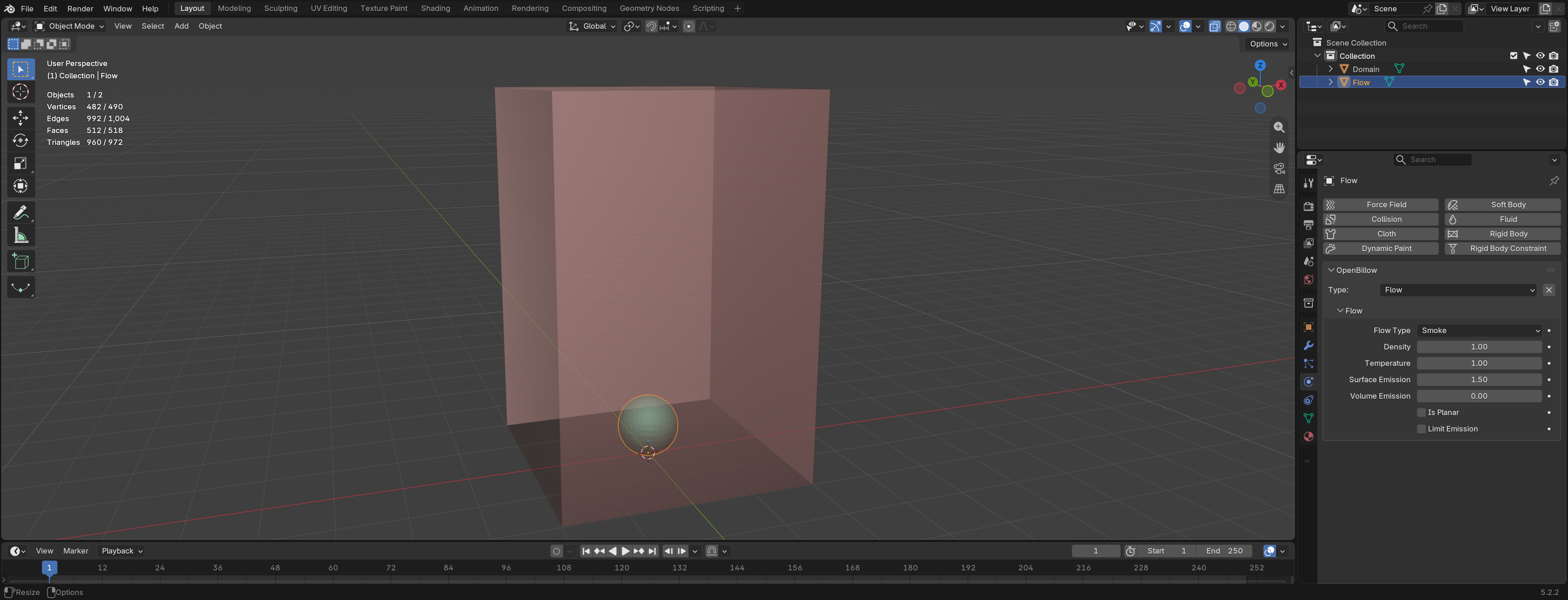 3. Obstacle (optional). Select a mesh and click Obstacle. Smoke flows
around it and is pushed by it when it moves. Thickness and Is Planar
work as for Flow. Obstacles can be animated (keyframes, parenting,
constraints; not mesh deformation). A moving obstacle needs about a third
more VRAM, which the estimate does not show yet.
4. Domain settings.
- Resolution Divisions: cells along the longest side. The line below it
shows the grid shape and the estimated VRAM; it turns red above your limit.
- Scene Frame Range, or your own Start / End.
- Cache: bake folder. Empty uses the Cache Root from the add-on preferences
(empty by default, which means
//openbillow_cache next to the .blend, one
folder per domain).
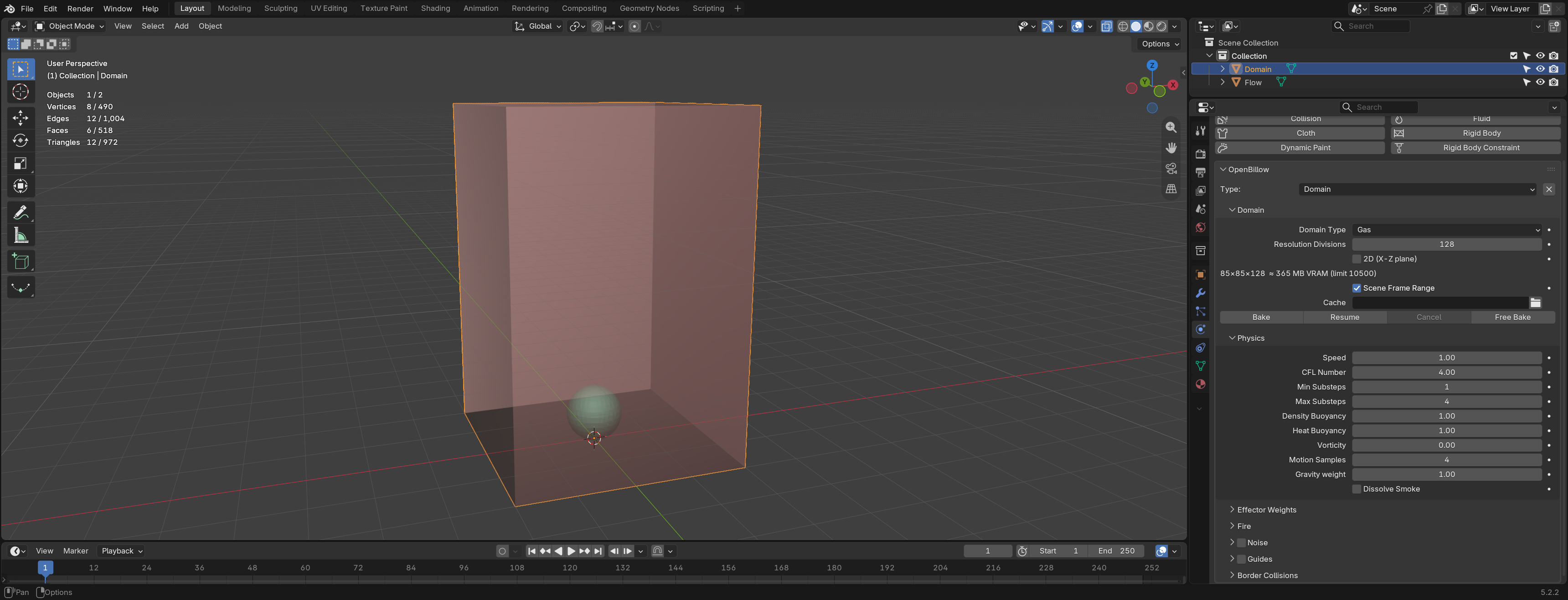
- Physics sub-panel: gravity, density and heat buoyancy, vorticity, smoke
dissolve, CFL number and substeps, speed. Same meaning as Blender's gas
settings.
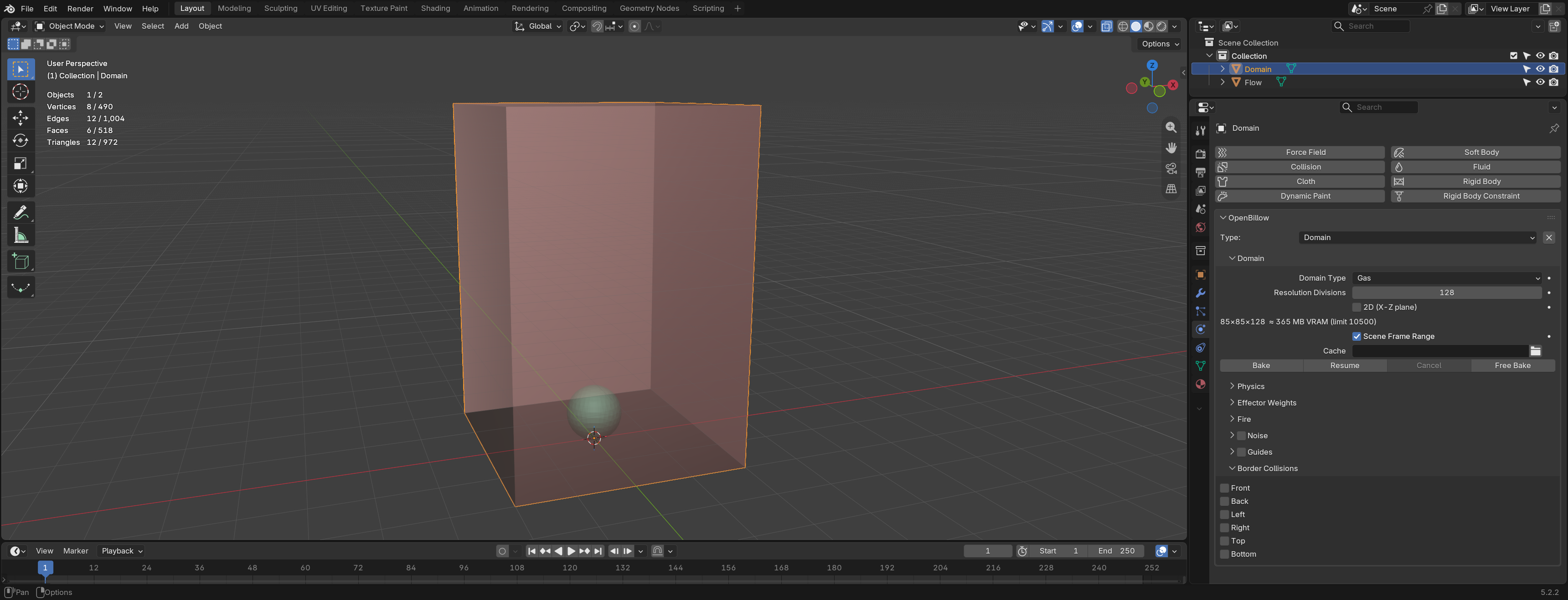
- Border Collisions: which domain faces act as walls (default: all open).
- Quality (new domains default to High Quality): Classic matches Blender's solver
and is fastest. High Quality keeps more swirl and fine detail at the same
resolution (about 1.7x the time per smoke step, about 10% more memory) and, for
liquids, a cleaner splash surface. Liquids also get Surface Tension (High Quality
only; slower bakes) and a High Quality Mesh Generator (flatter surfaces, thin
splash sheets, fewer blobby drops) next to Blender's Final and Fast.
- Liquid volume grows when a body of water thins into sheets (a dam break can end
up well above its starting volume). This is FLIP behaviour that Blender's
Mantaflow shows too, and more strongly; it is not a bug. Volume Correction
(on by default) limits it.
 5. Bake. Press Bake. Progress, ETA, peak VRAM and seconds per frame show
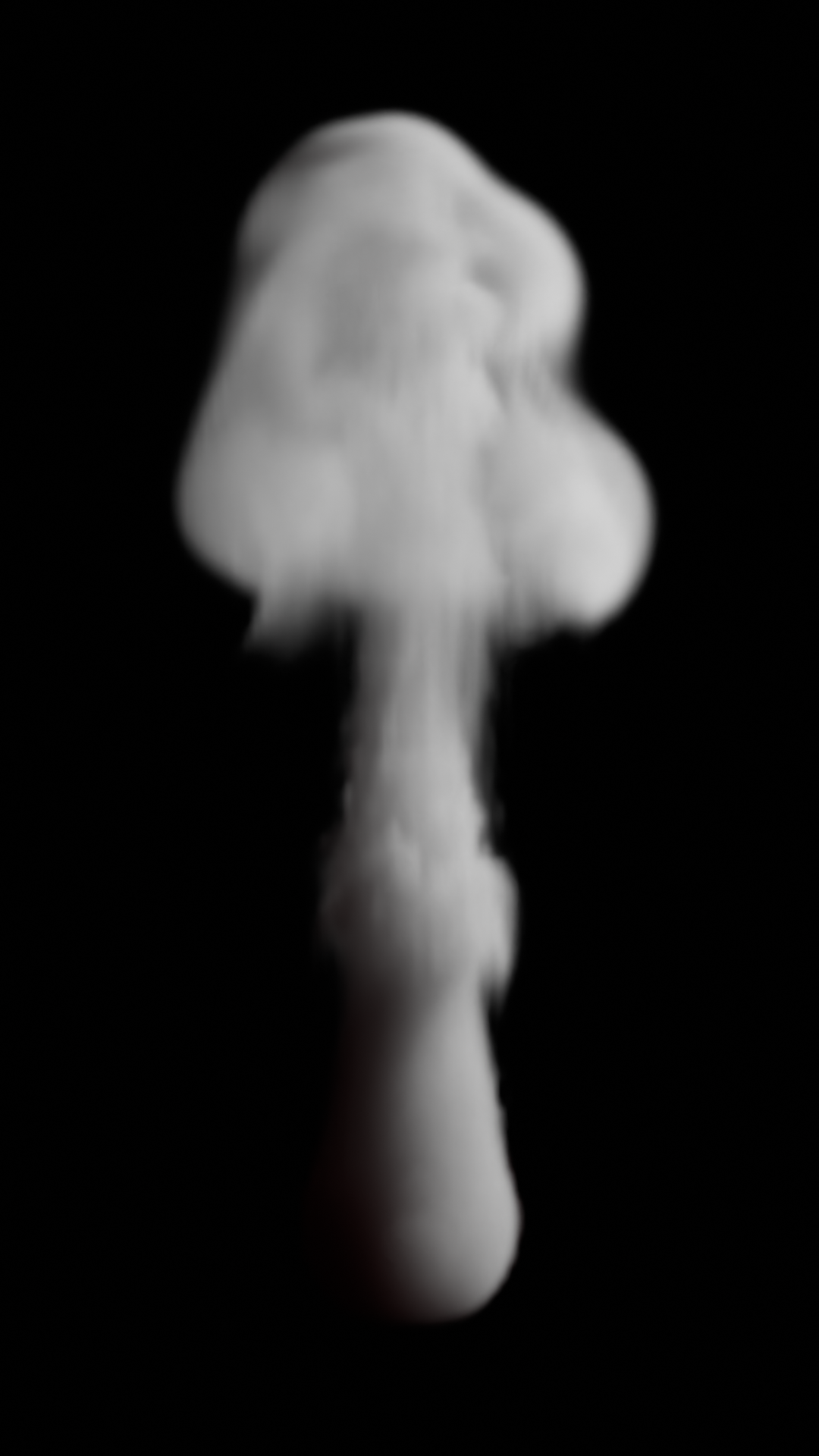
in the panel. When it finishes, a Volume object
<Domain>_OpenBillow is added,
showing the VDB sequence.
- Cancel stops the bake after a few seconds. Resume continues from
the last checkpoint (greyed out until the process has exited).
- Free Bake deletes the baked files and the Volume object.
- Refresh VDB on Bake (under Cache, on by default) makes Blender reload the
baked files when a bake ends, so baking again over old frames shows the new result.
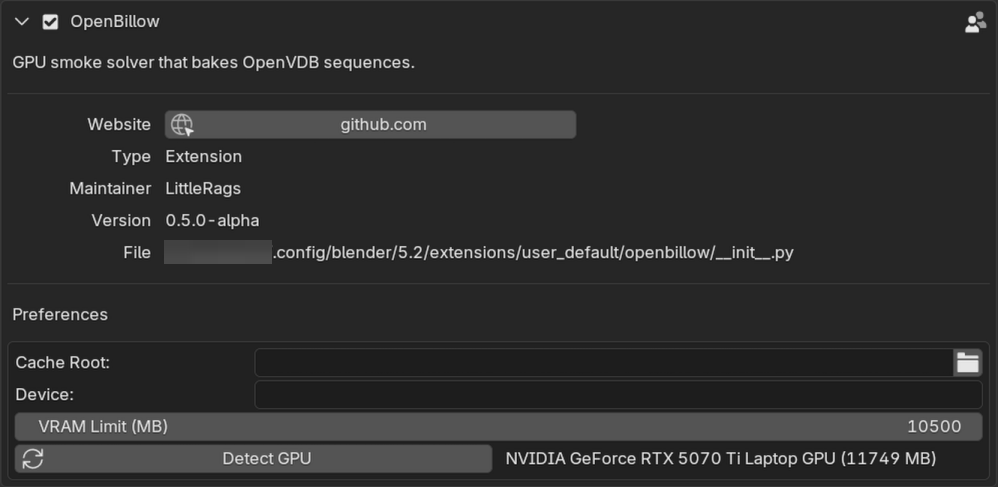
 6. Preferences (Edit > Preferences > Add-ons > OpenBillow): Cache Root,
Device (Auto: the graphics card; when the bake doesn't fit in free graphics
memory, the card pages through system RAM (about 2x slower, Linux only for now), and
without a usable card the CPU; the domain panel says which one it will be; GPU:
always the card, bakes that don't fit are refused; CPU:
always the CPU, much slower but uses system RAM), GPU (a Warp device such as
cuda:0; empty is the default card), and VRAM Limit (MB) (in GPU mode, bakes
estimated above it are refused; 0 means detected total minus 1 GB).
7. Presets (the Presets menu in the domain panel). The base pack is built in and
free; its entries are marked "(base)": Heavy Smoke, Splash, Foam, Oil Fire. Picking one sets
the domain, flow and material for that look. Your resolution stays as you set it; a preset
that was tuned at a particular resolution tells you which. The premium pack is separate:
in Preferences > Presets and materials accept the licence, enter your key and email, press
Download, and the extra looks join the same menu.
8. Support (Preferences > Send support request). Describe the problem and press
Send. You see exactly what will be sent first (GPU, versions, the end of the bake log,
recent Blender errors; home folders are replaced by ~). Nothing is sent unless
Blender's online access is on and you press Send. Save diagnostics to file is the
offline option.
9. Updates. Installed from Blender Extensions, Blender updates the add-on. Installed from
a zip, use Preferences > Updates > Check for Updates (once per session automatically
when online access is on), then Download and Install; restart Blender afterwards. Only
your version and system type are sent.
Every setting has a plain-language tooltip: hover over it.
If a bake needs more VRAM than you have, lower Resolution Divisions. The estimate is shown before you bake.
Fire
Set a flow's type to Fire or Fire + Smoke, then open the domain's Fire panel.
Fire Model - Blender: matches Blender's own fire (soft, blobby flames). Pick it when a bake must match a Blender scene. - Combustion (recommended for new work): fuel burns only when hot enough, gives off heat, cools and expands. You get separate tongues and sharper tips. Slightly more memory. The Campfire and Explosion presets use it.
Controls (both models) - Reaction Speed: how fast fuel burns. Higher gives shorter, quicker flames. - Smoke: how much smoke the flames make (0 is clean flame). - Vorticity: swirl in the flames. Minimum / Maximum: ignition and peak temperature.
Combustion controls
- Heat Release: heat per bit of burning fuel. Higher is hotter and brighter.
- Cooling, Radiative Cooling: how fast hot gas cools. Higher gives shorter flames with
clearer tips; radiative keeps cores from running away.
- Expansion: how much gas swells as it burns. A little makes flames lively; above 1 they
balloon sideways.
- Flame Temperature, Air Temperature (Kelvin): the range written to the temperature grid.
- Disturbance (Size, Rate): random pushes that break the flame into tongues.
Shredding tears the flame edge (subtle; 0 is off).
Tips
- Cell size sets flame detail. A campfire wants cells of a few millimetres to a centimetre.
- Start from the Campfire preset, then change Cooling (flame height) and Disturbance
(tongue size) first.
- High Resolution (noise) adds fine detail; with Combustion it still uses Blender's burn on
the fine grid.
- Render with the Combustion material (Blackbody colour from temperature); the flame
grid still works with Blender-style materials.
VDB grids
Each frame's .vdb holds these grids (half float, world-space transform):
density: smoke density (liquid:phi, a level set in metres, negative inside).temperature: normalised, not Kelvin. 0 is ambient; a flow's Temperature value is the source level, and the heat decays with cooling. Use it as a relative heat for colour ramps or Blackbody (scale it to taste).velocity: metres per second, cell-centred (the average of each cell's two faces), world axes. Blender's volume motion blur reads it as is. Multiply by the frame rate to get metres per frame; the solver's internal staggered grid is not written. With the Combustion fire model it is instead Kelvin (Air Temperature to Flame Temperature) where there is heat, and 0 elsewhere; feed it straight to a Blackbody shader.flame(fire only).
Speed
| ms/frame | Res | Blender | OpenBillow | Speed-up |
|---|---|---|---|---|
| Smoke plume | 64³ | 30 | 3.5 | 8.6× |
| Smoke plume | 128³ | 135 | 10.6 | 12.7× |
| Smoke plume | 256³ | 1255 | 96 | 13× |
| Smoke plume | 384³ | 5860 | 455 | 12.9× |
| Liquid dam | 64³ | 85 | 17 | 4.9× |
| Liquid dam | 128³ | 665 | 60 | 11× |
| Liquid dam | 256³ | 6455 | 420 | 15× |
| Liquid dam | 384³ | 28200 | 1201 | 23.5× |
Same scenes, same machine, Blender 5.2 (CPU) vs OpenBillow (NVIDIA GPU), 20 frames, single runs. OpenBillow timings exclude writing the VDB files and a one-off ~25 s kernel compile per machine. OpenBillow liquid runs with its default improvements (e.g. volume correction); Blender's does not.
First bake on a machine is slow
The first bake on a machine spends about 25 s on frame 1 while Warp compiles the solver's GPU kernels. The add-on's progress stays at frame 0 meanwhile; the bake has not hung. Warp caches the compiled kernels, so later bakes start at once. It compiles again after a Warp update, an OpenBillow update that changes the kernels, or if the cache is deleted.
The cache is in ~/.cache/warp/<warp version>/ on Linux and
%LOCALAPPDATA%\NVIDIA\warp\Cache\<warp version>\ on Windows (about 20 MB).
Set WARP_CACHE_PATH to put it elsewhere.
Licence
GPL-3.0-or-later (see LICENSE). Files copied from Blender and Mantaflow keep their original licence headers (GPL-2.0-or-later and Apache-2.0). The add-on, including its base presets, is free under the GPL. The premium preset pack and in-add-on support are a paid option (see What is free, what is paid); the premium pack has its own licence.